
What are your competitors measuring with?
Discover why design and build pros are ditching the tape measure for tech like iGuide.

In an industry where every second counts and accuracy can make or break a project, it's surprising how many design and build professionals are still relying on the classic combo: tape measure and pencil.
Sure, it's worked for decades, but imagine how much easier things could be with digital tools doing the heavy lifting.
The problem with manual measurements
Manual measurement has its place, but it comes with some serious drawbacks:
- Time-consuming: Measuring large spaces manually can eat up hours, especially when you're double-checking or revisiting the site.
- Human error: A wrong number or missed corner can result in costly design changes or construction delays.
- Lack of documentation: Quick sketches in a notebook often don’t stand up to scrutiny, especially when clients or subcontractors need precise details.
If you're still doing it the old-school way, you’re not just working harder, you might be falling behind.
Your competitors are upgrading
More and more design professionals, contractors and builders are turning to tech tools like iGuide to transform their measurement and documentation process and gain a competitive advantage.
What is iGuide?
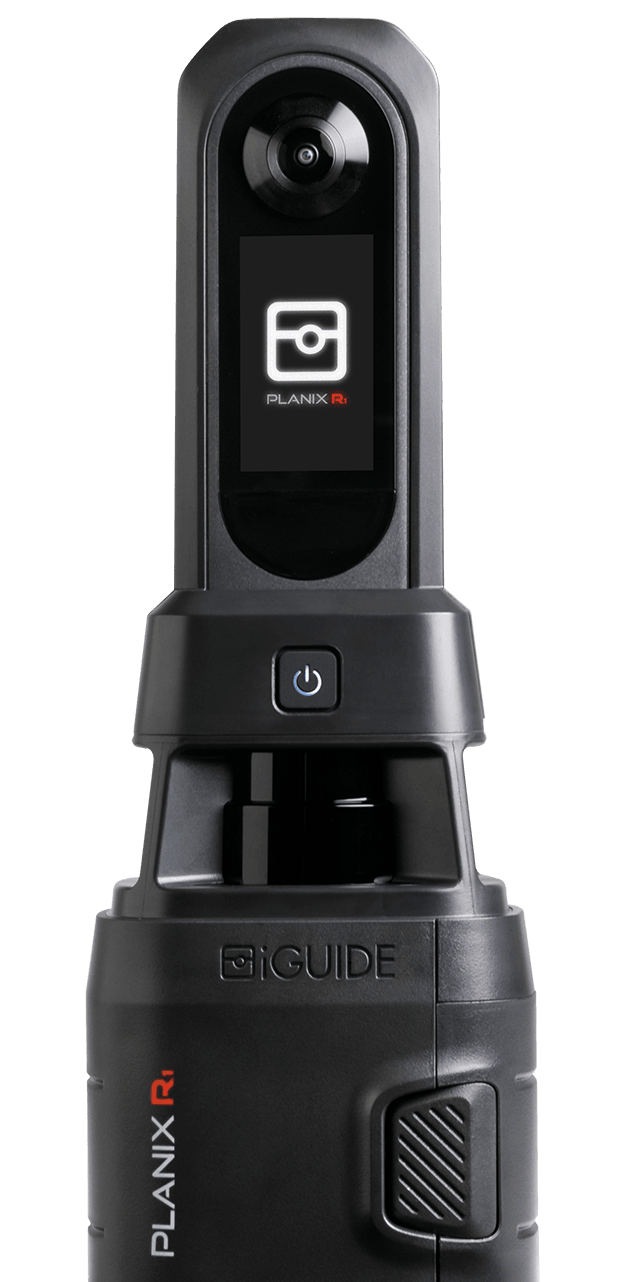
iGuide is a property data capture system that combines a laser scanner and 360° camera to quickly produce:
- Precise floor plans
- Square footage calculations
- 3D virtual tours
- Measurement data accurate to within 0.5%
In short, it captures spaces faster and more accurately than a team with tape measures ever could.
Benefits of using iGuide for design & build work
- Speed: With iGuide, a 3,000+ square foot space can be fully scanned in under an hour, sometimes in just 20 minutes! That means less time on site and more time designing, quoting or building.
- Accuracy you can rely on: iGuide measurements meet or exceed industry standards and are defensible in professional workflows. This is critical when you're quoting jobs, designing layouts or coordinating trades.
- Professional presentation: iGuide provides deliverables that look clean and polished, ideal for presentations to clients, consultants or planning officials.
- Centralized data: All your spatial data is captured in one visit and accessible in one place, minimizing back-and-forth or re-measuring.
Why this matters now
The design and build space is more competitive than ever. Clients expect faster turnarounds, municipalities demand precise data and margins are getting tighter.
If your competitor can measure an entire property, generate floor plans and produce documentation in the time it takes you to wrap your tape measure, who do you think the client will choose?
If you want help optimizing your workflow with iGuide, let’s chat:
Related blog
- Blog

What's new in iGuide: Real-time floor plan previews, in-portal still images and faster deliverables
This release is about getting more done in a single visit. Watch your floor plan build in real time as you scan, grab still images from the portal and get a cleaner tour with faster deliverables on every project.
- Blog

How iGuide Enhanced Tags improve property documentation across every industry
Enhanced Tags are a feature of iGuide that replaces generic location pins with meaningful, color-coded icons placed directly on the 2D floor plan during capture. Every tag you place on site renders consistently in the iGuide Viewer, the Tag List PDF and the SVG export. The icon you pick during capture is the icon every downstream stakeholder sees.
- Blog

5 questions to answer before ordering CAD deliverables
A floor plan and a Revit model aren't interchangeable. Neither are a PDF and a DWG. Before you order, five questions will tell you exactly what your project needs and save you from gaps that slow everyone down.