Buyers ask one question more than any other: how big is it, really?
A listing can show a bright living room and a generous primary bedroom. A photo still won't tell a buyer whether their sectional fits along that wall, or whether there's room for a king-sized bed with a nightstand on each side. So they guess. Or they text the agent. Or they book a visit just to stand in the room with a tape measure.
The measurements were already in the iGUIDE. Measurement Overlay puts them where buyers are looking.
See room dimensions inside the virtual tour
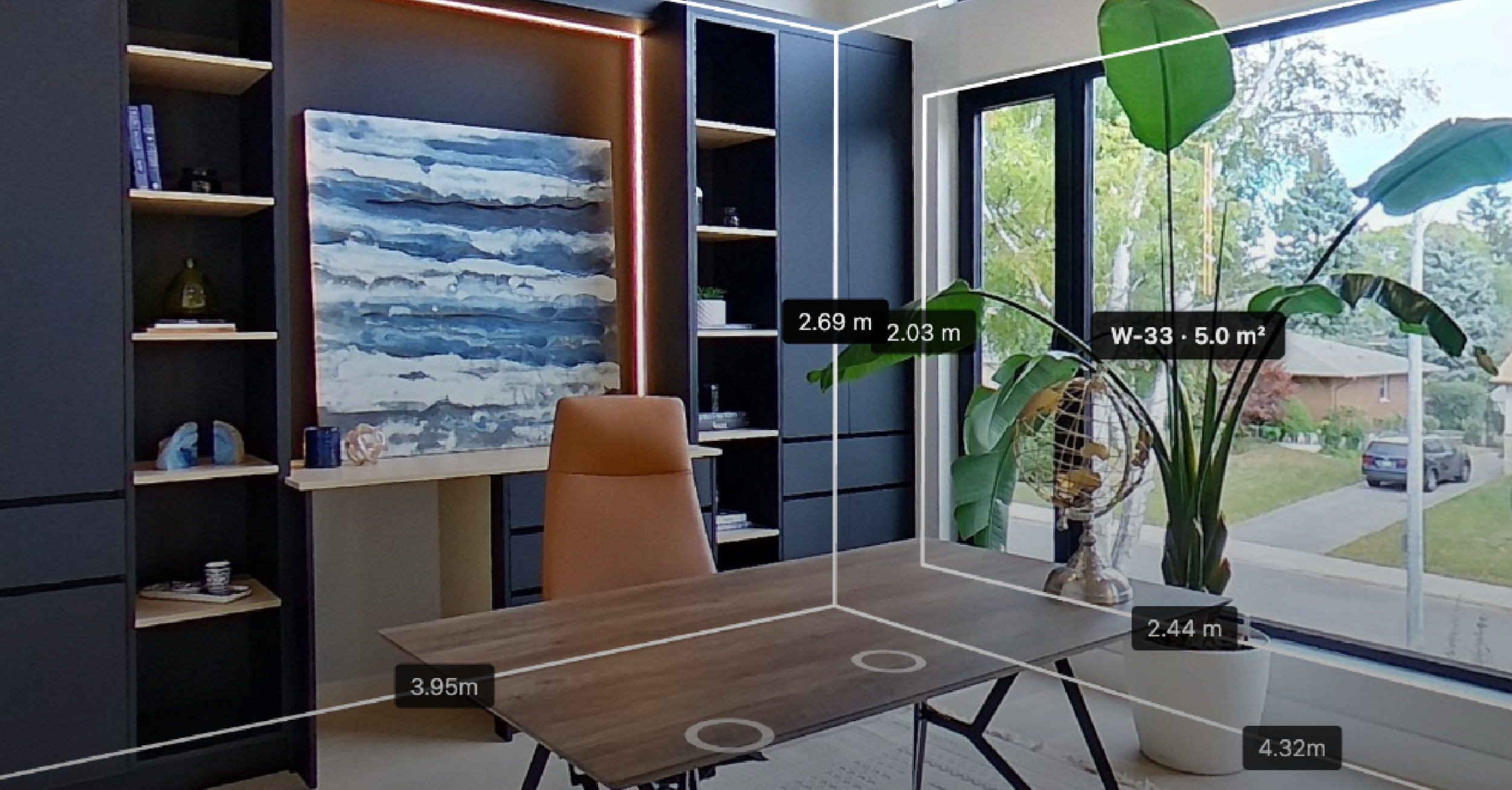
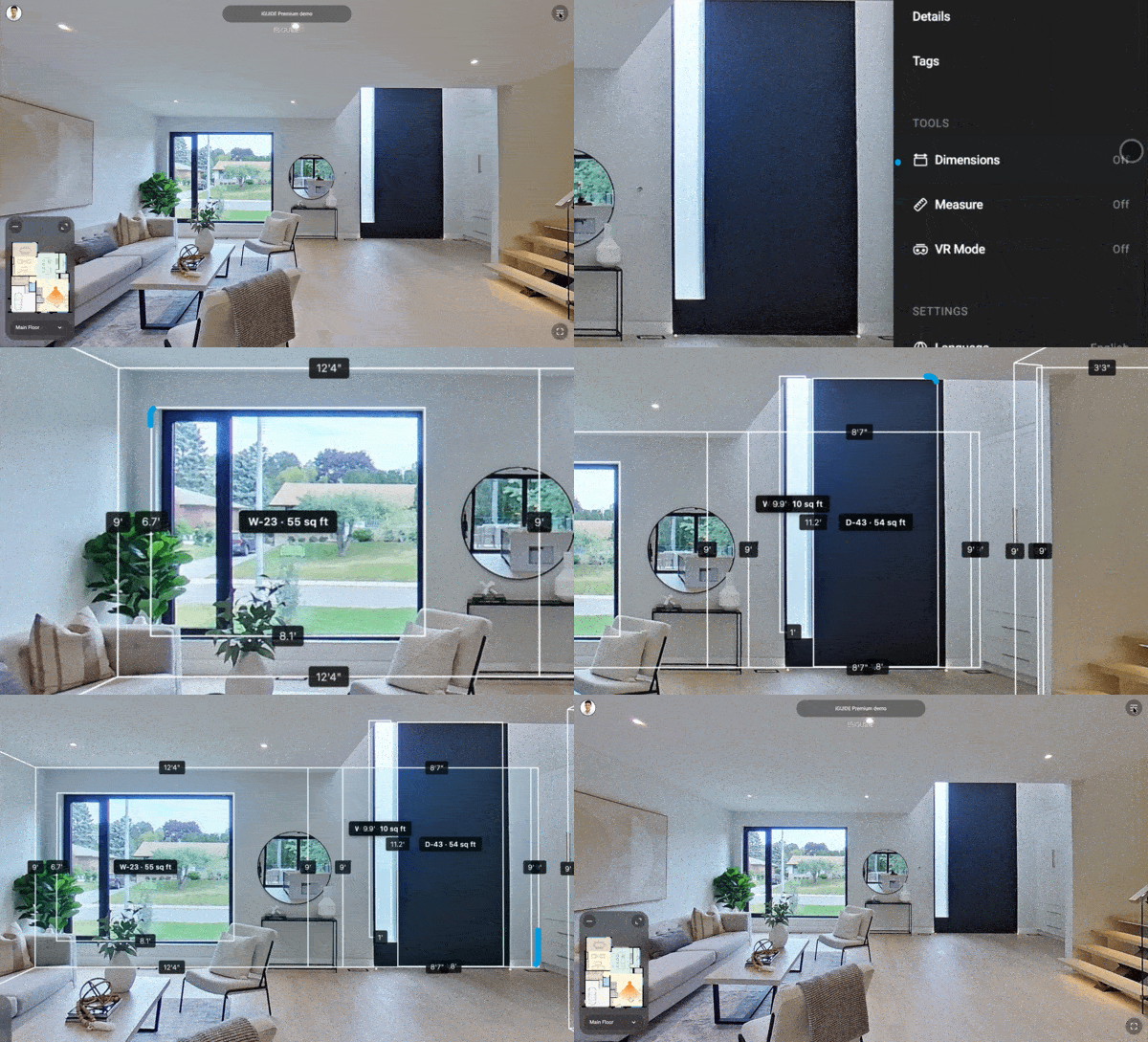
Open an eligible iGUIDE tour and switch on Dimensions. Room dimensions, wall lengths and ceiling height appear on the 360 photo, on the walls they describe. Move to the next room and the numbers move with you.
No separate tool. No dragging between two points to answer a basic question. The buyer is already looking at the room, and now the room tells them how big it is.
Check whether your furniture fits before you visit
Buyers aren't measuring for the sake of a number. They're picturing their life in the space.
A 14-foot wall means something when you're deciding where the sofa goes. Bedroom dimensions matter when you're placing a bed and two nightstands. Ceiling height tells you whether the tall bookcase clears. With Dimensions on, a buyer can work all of that out from home, weeks before they'd book a second visit to check.
They can size up the furniture. They can plan the layout. They can decide whether the home works for them before they've made an offer.
How room measurements help agents win the listing
That work does more than help the buyer. It helps the agent who shared the tour.
Fewer "how big is that room" texts. Buyers who show up to a viewing already knowing their furniture fits. Buyers who rule a place out before booking, so the showings that happen are with people who are serious. Every listing says a room is spacious. This one shows what that means.
It's a reason to send buyers the iGUIDE tour early, and let it keep answering questions long after the open house ends.
See Measurement Overlay in an iGUIDE tour
Dimensions appears on newer iGUIDE captures. The quickest way to check a tour is to open the menu: if Dimensions is there, the tour has it. It stays off until the viewer turns it on, so nothing about a tour changes until someone wants the numbers. The Measure tool is still there for anything custom.
See Measurement Overlay in a real iGUIDE Tour.
Author

Mathushan Gnanasegaram
Product Marketing Manager
Mathushan is the Product Marketing Manager at Planitar, makers of iGUIDE, where he partners closely with product, sales and customer success to bring new features to market. His work focuses on positioning, launch strategy and making sure customers understand the value of what's shipping.