Prefer video? Watch a quick walkthrough of the latest iGUIDE updates.
Site Plans for residential properties (a bird’s-eye view of the full property)
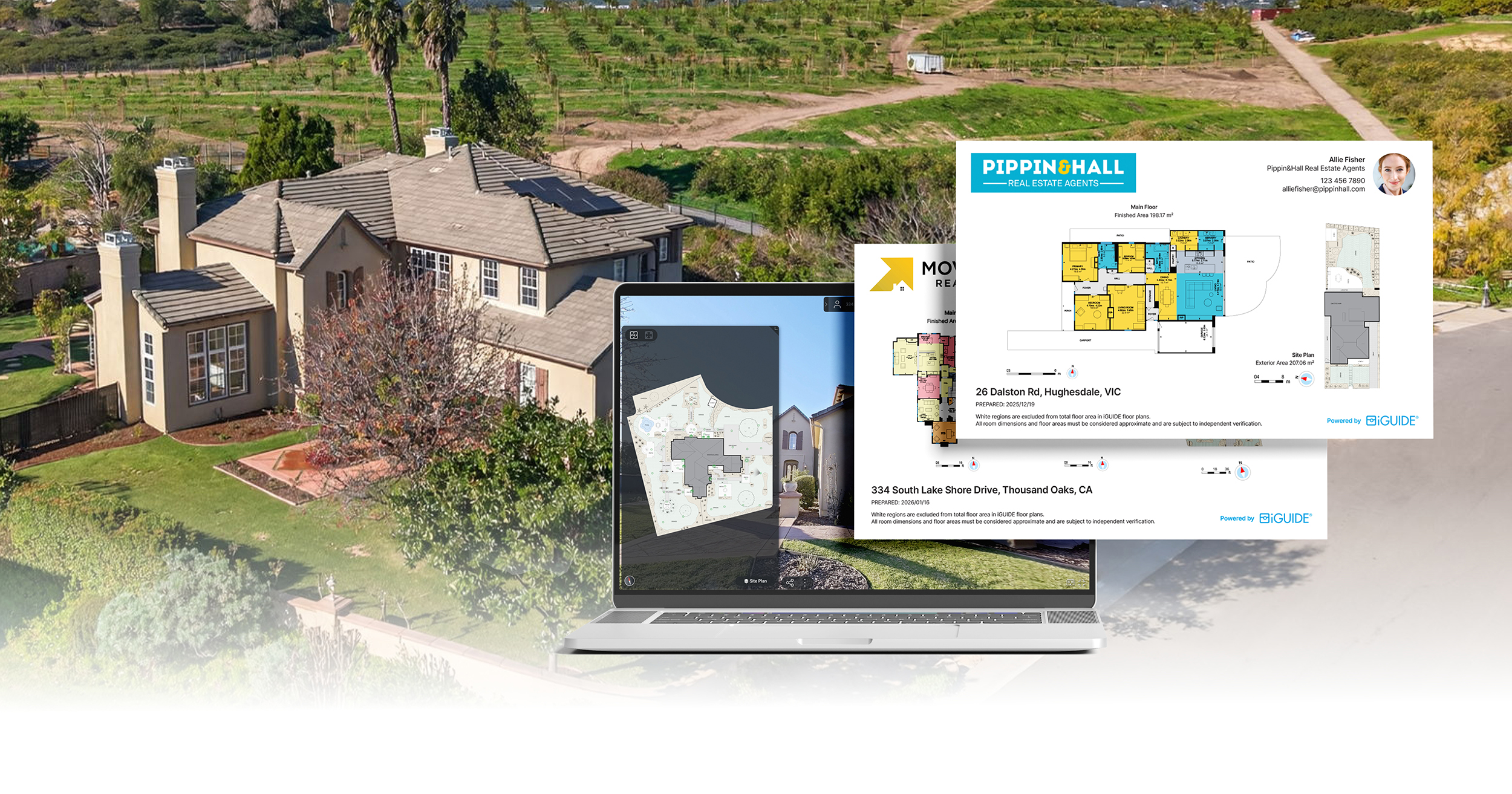
Site Plans are now available as an add-on for eligible residential iGUIDE listings.
They provide a clear, bird’s-eye view of the entire property—including buildings, outdoor features, and overall layout—directly inside the iGUIDE Viewer. Think of it as a way to show the full property, not just the interior, in a format that’s easy for buyers and clients to understand.
Site Plans are also included in PDF reports and available as downloadable JPG and SVG files.
This helps buyers and clients understand the full property layout before visiting in person.
Browse sample Site Plans to see how others are showcasing outdoor space in their listings or see how others are using it in their workflows.
Branded Property Overviews (professional listing reports, ready to share)
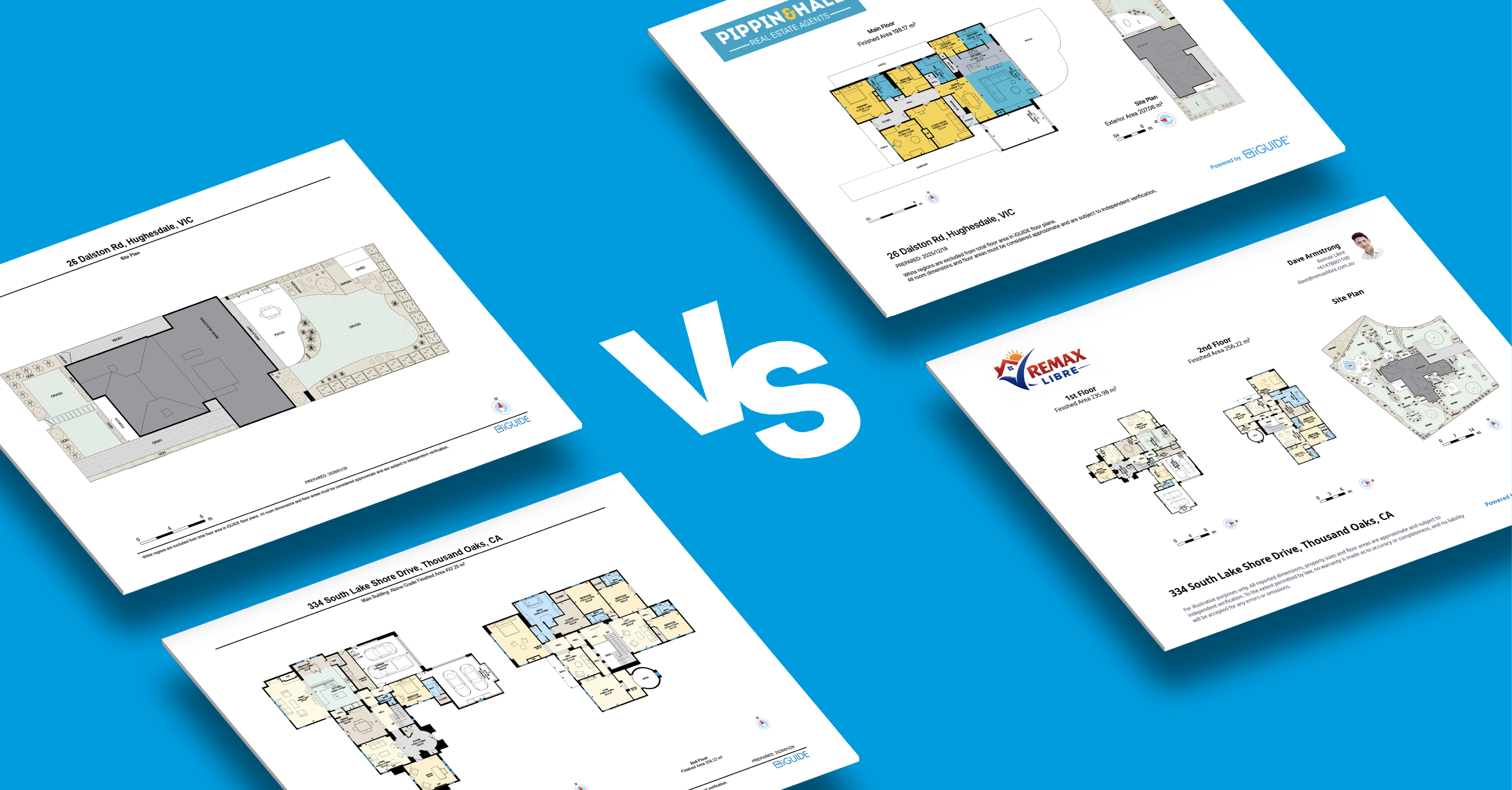
Branded Property Overviews are now available for iGUIDE Standard and Premium projects.
These reports automatically combine floor plans and site plans into a polished, branded PDF, including the agent’s logo, brand colours and contact details.
The result is a clean, professional document that agents can easily share with clients and prospects.
See how branded property overviews help present listings more professionally or learn how to customize them in the Help Center.
Support and platform updates
Improved support experience with Zendesk
We’ve upgraded our support platform to Zendesk to deliver faster, more accessible assistance.
The new experience includes:
- AI-powered chat assistant
- Improved Help Center search
- easier ticket submission and tracking
Support is available through the Help Center and directly inside the PLANIX mobile app.
PLANIX mobile app improvements
The latest PLANIX update includes:
- In-app access to Help Center resources
- Ricoh Theta X firmware updates
- Performance improvements and fixes
These updates help streamline project capture and reduce time spent troubleshooting on site.
Workflow and deliverable improvements
Alongside these updates, we’ve made several improvements to simplify everyday workflows and deliverables:
- Easier access to CAD deliverables—download files directly from the project details page
- Improved Tag Report PDFs—view all tags, notes, and media in one shareable document (sample)
- Offline project editing—make updates without needing a connected camera
- DXF deliverables now include all captured floors—access complete project data in one file
- New measurement diagrams in floor plan PDFs—clearer dimensions for more accurate reference
- Improved CAD and PDF drawing layouts—better orientation and labeling for easier review
Developer and integration updates
API documentation refresh
We’ve refreshed the iGUIDE API documentation to make it easier to navigate and use.
The updated documentation includes:
- Clearer getting-started guides
- Updated reference documentation for all endpoints
- Improved examples for common workflows, including automated publishing and data retrieval
Explore the updated API documentation to see what’s possible.
Start using these updates in your next project
These updates are designed to fit directly into your existing workflow—whether you’re capturing new listings or delivering reports to clients.
Learn how to get started with Site Plans, Branded Property Overviews and more in the Help Center.
Want to see how others are using them? Browse real examples from the iGUIDE community.
Author

Jennee Rasavong
Content Marketing Manager
Jennee is the Content Marketing Manager at Planitar, makers of iGUIDE, where she creates clear, practical content grounded in real customer workflows. Her work focuses on blogs, customer stories, and guides that help make complex tools easier to understand.